Install or Uninstall a Resource Pack
Easily install, update, or remove resource packs using the Luniris App.
Install / Update a Resource Pack
1. Open the Luniris App
Open the app on your web browser.
2. Navigate to the Resource Packs Section
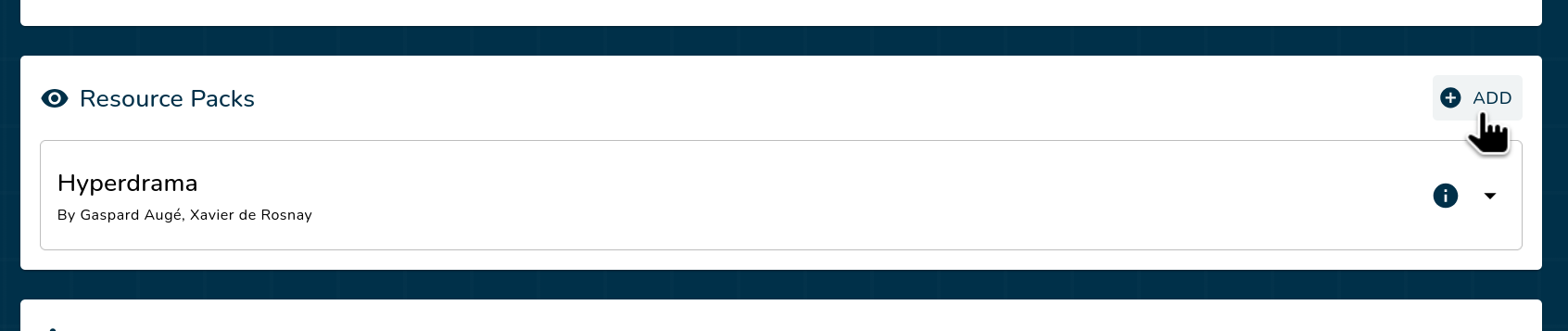
Locate the resource packs section on the home page, then click the Add button.
3. Upload the Resource Pack File
- Drag and drop the resource pack file (
.zip) into the designated area, or click to browse and select the file. - Wait for the upload to complete.
4. Verify and Install
- Review the resource pack details to ensure accuracy.
- Click Next to confirm the installation.
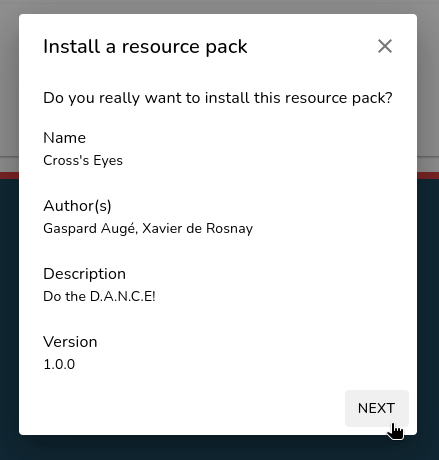
Your resource pack is now installed and visible in the resource packs list!
Uninstall Resource Pack
1. Open the Luniris App
Open the app on your web browser.
2. Navigate to the Resource Packs Section
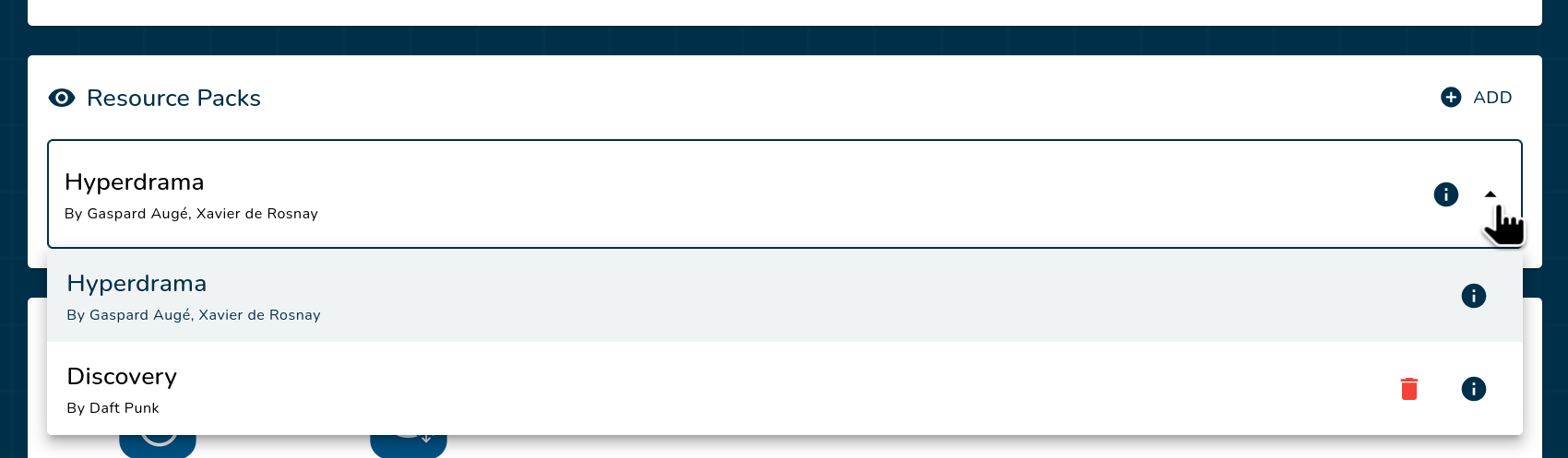
Locate the resource packs section on the home page and click on the dropdown menu.
3. Uninstall the Resource Pack
Click the red trash can icon to delete the resource pack, then click Yes to confirm your choice.
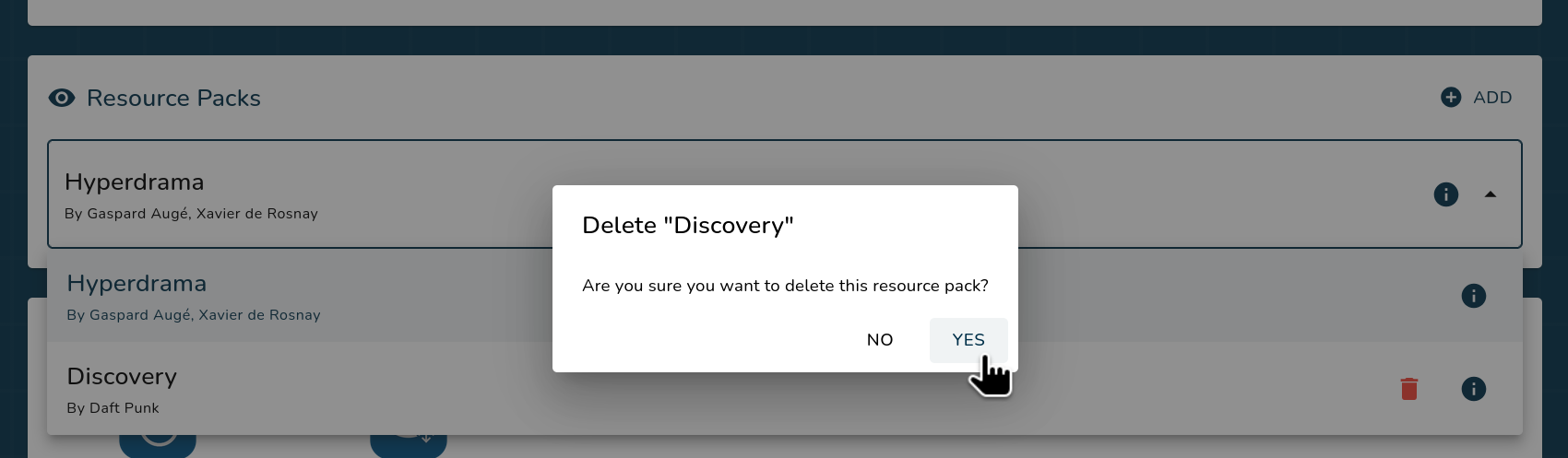
Your resource pack is now uninstalled.