8 posts tagged with "OS Update"

Luniris OS updates

View All Tags

Luniris OS 2.1 released

· 2 min read
LouisLeGris
LouisLeGris
Maker of the eyes system

Luniris OS 2.1 Update Now Available. New features are available like Clock LED, and feature settings have been completely rebuilt to be more clear!

New Features

Clock LED

Clock LED is a new system feature that flashes the fursuit's internal LEDs to notify you of how long you have been fursuiting. The LEDs will flash every X minutes (15 minutes by default), and the number of flashes corresponds to the number of intervals the user has spent in the suit.

Glove Actions

  • Settings Overhaul: Parameter fields and names are now much clearer. (#302)
  • Disable Screen Brightness Control: A checkbox has been added to enable or disable this feature. (#302)
  • Colored LEDs for Each Button: You can now choose between several internal LED colors (or disable them) for each button to confirm that an action or emotion has been triggered. (#303)

Eye Controls (formerly "Eye Position")

  • Settings Overhaul: Parameter fields and names are now much clearer. (#304)
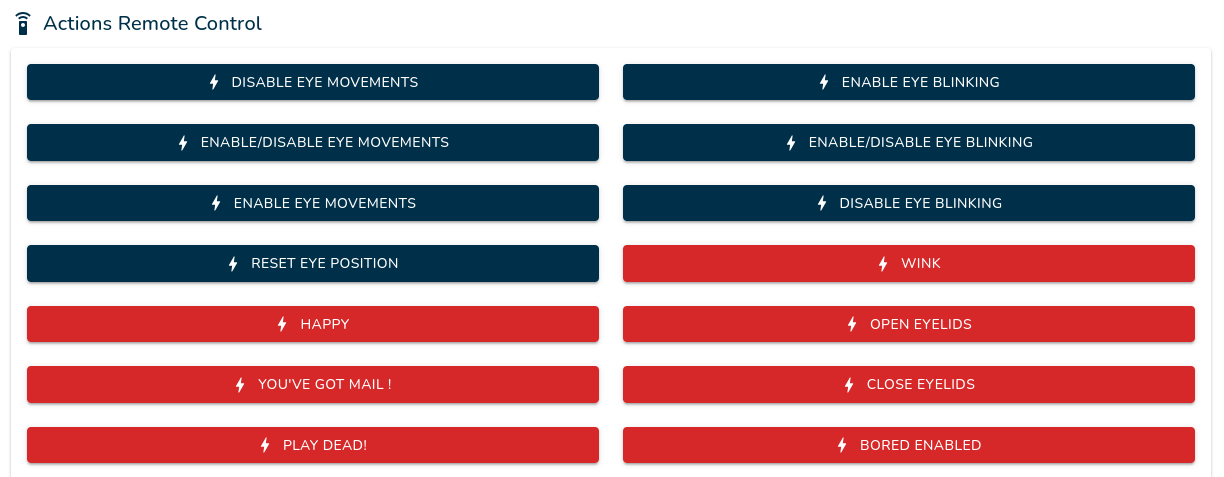
  • Temporarily Disable Blinking or Eye Movement: Added actions to toggle blinking and eye movements on or off. These actions can be mapped to the glove. (#312)
  • Improved Movement Tracking: Added gyroscope dead zones to prevent eyes from moving excessively for no reason and to eliminate drift issues. (#304)

Luniris OS

  • Access Feature Settings: You can now access feature settings directly from their external application page. (#315)
  • Lazy Loading for Feature Settings: A loading popup will now appear while feature settings are being loaded. (#314)
  • Reset Settings: Feature settings can now be reset to their default values. (#310)
  • Updated Feature API: Upgraded to version 1.1, adding password fields, separators in feature settings, and the ability to use HTML tags in descriptions. (#309, #308)

Fixes

  • Wi-Fi Access Point Connection: Fixed an issue connecting to a Wi-Fi hotspot if the user took too long to connect after system startup. (#293)
  • JSON Settings Error Handling: Feature settings will no longer crash if the settings JSON is incorrect; instead, it will display the errors. (#313)

Note: This update is available as an OTA update.

This update is exclusively available for users with a Louis’s Eyes system kit.

Luniris OS 2.0 released

· 2 min read
LouisLeGris
LouisLeGris
Maker of the eyes system

Luniris OS 2.0 Update Now Available. It's the biggest OS update since the beginning of this project, with the addition of OTA (Over-the-air) updates, new app interface and a lot of bug fixes!

New Features

  • Over-the-Air (OTA) Updates: You can now receive and install system updates wirelessly. The system can even check for them automatically at startup. (#287)
  • Redesigned Home Page: A fresh new look! Features are now organized in a clean app grid with icons, and resource packs have a simplified selector. (#272, #271)
  • System Features Management: You can now install or update core features directly from the home page or during initial setup. (#291, #296)
  • Improved USB Communication: Enhanced USB serial communication for better reliability and easier troubleshooting/debugging. (#289)
  • Enhanced Setup (OOBE): The first-time configuration now includes an intro video, helpful tips for your "eyes" system, and country selection for better Wi-Fi compatibility. (#280, #281, #285)
  • Improved Hotspot: You can now hide your Wi-Fi hotspot SSID, generate random SSID and password by default for more security, and apply changes instantly without restarting the system. (#236, #238, #277, #276)
  • Better File Uploads: A real progress bar with percentages has been added for file transfers. (#259)
  • Visual Polish: Added a new "blueprint" background pattern and a clean splashscreen during boot, while hiding messy system logs. (#267, #263)
  • Platform Upgrade: Under the hood, the system now runs on .NET 10 and NodeJS 20 for better long-term performance. (#262, #208)

Fixes

  • Wi-Fi & Bluetooth Stability: Fixed a potential crash during device detection and improved the display of available Wi-Fi networks (sorted by signal strength). (#266, #279, #283)
  • Interface Reliability: Fixed a bug where the interface language would reset after a refresh. (#265)
  • Storage Display: Fixed a loop that occurred when calculating remaining space if a folder was missing. (#270)
  • Hardware Tweaks: Fixed an issue where touching the right screen would shift the eye display. (#278)
  • General Cleanup: Resolved various bugs in the hotspot restart logic, OOBE navigation buttons, and display of build numbers. (#274, #269, #284, #288, #294, #286)

Note: This is a major release. Future operating system updates will only be available as OTA updates.

This update is exclusively available for users with a Louis’s Eyes system kit. Please contact me on Telegram to receive the update file!

Luniris OS 1.4 released

· One min read
LouisLeGris
LouisLeGris
Maker of the eyes system

Luniris OS 1.4 Update Now Available with new audio capabilities! 🎉

New Features

  • Audio playback support: You can now play audio over Bluetooth or USB-C. (#80)
  • Microphone support: USB-C and Bluetooth microphones are now compatible. (#80)
  • Audio settings menu: Mute, adjust volume, or switch audio sources directly from the settings. (#82)
  • New permission: AUDIO_ACCESS permission added for sandboxed apps. (#81)
  • Display brightness updates automatically: Manual saving is no longer required. (#84)
  • Wi-Fi hotspot band selection: Easily switch between 2.4 GHz and 5 GHz bands. (#83)

Fixes

  • Bluetooth stability improvements when the Wi-Fi hotspot is set to 5 GHz. (#83)
  • Quotes are now forbidden from Wi-Fi hotspot password for compatibility reasons. (#83)

Luniris OS 1.3.1 released

· One min read
LouisLeGris
LouisLeGris
Maker of the eyes system

Luniris OS 1.3.1 Update Now Available with some small changes!

New Features

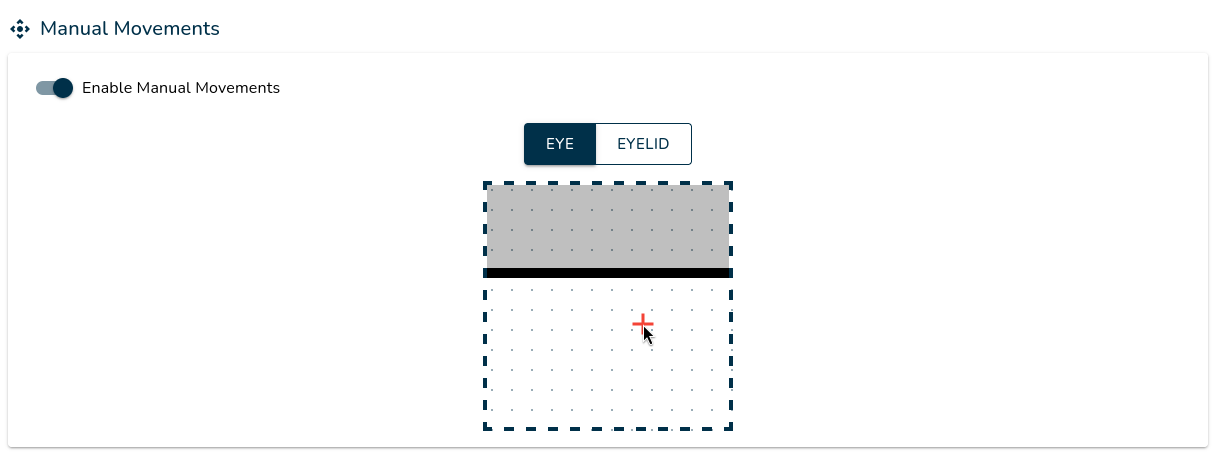
  • The eye mask has been replaced with an eye area, allowing you to define the range of eye movements without requiring touch displays. (#79)

Fixes

  • Updated dependencies to address the vulnerability CVE-2024-43485. (#79)

Luniris OS 1.3 released

· One min read
LouisLeGris
LouisLeGris
Maker of the eyes system

Luniris OS 1.3 Update Now Available with a lot of new features for developers!

New Features

  • Display API: Features can now control display brightness via the API. (#243)
  • Anti-aliasing settings: Anti-aliasing options are now available in Developer Settings. (#234)
  • V-sync settings: V-sync can now be toggled in Developer Settings. (#239)
  • System usage information: CPU and RAM usage, including temperature data, are now displayed in Developer Settings. (#235)
  • FPS counter: You can now enable or disable the FPS counter in Developer Settings. (#239)
  • Feature logs: Feature-specific logs are now accessible for debugging purposes. (#242)
  • System and app logs:: System and application logs are now available for troubleshooting. (#242)
  • Display orientation: Displays can now be set to landscape or portrait mode in Display Settings. (#240)
  • Post-update display: A post-update screen now prompts users to confirm updates within the app.

Fixes

  • Removed deprecated Developer Settings options. (#233)

Luniris OS 1.2 released

· One min read
LouisLeGris
LouisLeGris
Maker of the eyes system

Luniris OS 1.2 Update Now Available with some enhancements for features!

New Features

  • Added a dropdown list in the features settings (#67)
  • Features settings can now be updated in real-time (#68)
  • Introduced native features, allowing execution based on native binary files (#69)

Fixes

  • Fixed an issue where the "Launch at startup" parameter was reset upon feature updates (#69)
  • Increased the upload limit for features and resource packs from 15MB to 100MB (#69)

Luniris OS 1.1 released

· One min read
LouisLeGris
LouisLeGris
Maker of the eyes system

Luniris OS 1.1 Update Now Available with a lot of fixes!

New Features

  • Reset the Luniris system by quickly pressing the main button 15 times. (#64)
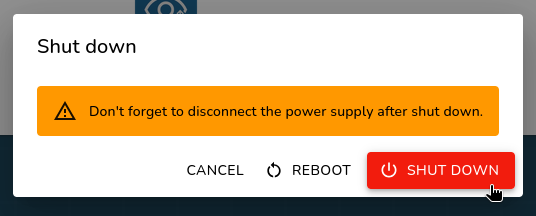
  • Shut down the Luniris system by pressing the main button for 5 seconds or directly from the Luniris application. (#63)
  • Change the Wi-Fi region from the settings. (#60)
  • Added information alerts in Wi-Fi settings. (#66)

Fixes

  • Improved management of interior LEDs. (#61)
  • Resolved random GPU performance issues at startup. (#65)
  • Fixed crashes and communication issues with the backend for the eyes. (#65)
  • Eliminated the small latency issue between the two displays. (#65)
  • Completely rethought the management of multiple screens for displaying the eyes. (#65)